Learning to “hijack the scroll” and other bad practices
How I built a page that takes over the scroll wheel and plays a film of my bike, and what I would do differently.
I am sort of into road bikes. Over the last couple of months I have been leaning a bit into design where it intersects with my interest in tech, and naturally with other interests I have. I remember reading that hijacking the scroll wheel is bad practice, but as I had also done some video editing for our bike team's social media over the summer, video was a medium I was somewhat familiar with.
What could come out of it if I took over a page's scrolling and used it to play a video instead, tying the playback so that it would focus on the parts of my bike I wanted to showcase? The result is mybaik.
Prototype#
I had the idea above on a Saturday morning, so when I went on a training ride I took some trial footage of what I wanted the scroll to feel like. In the afternoon, once I was home, I researched how feasible it would be, whether it would work with a better camera and recording quality, and how adjustable the setup was.
Filming#
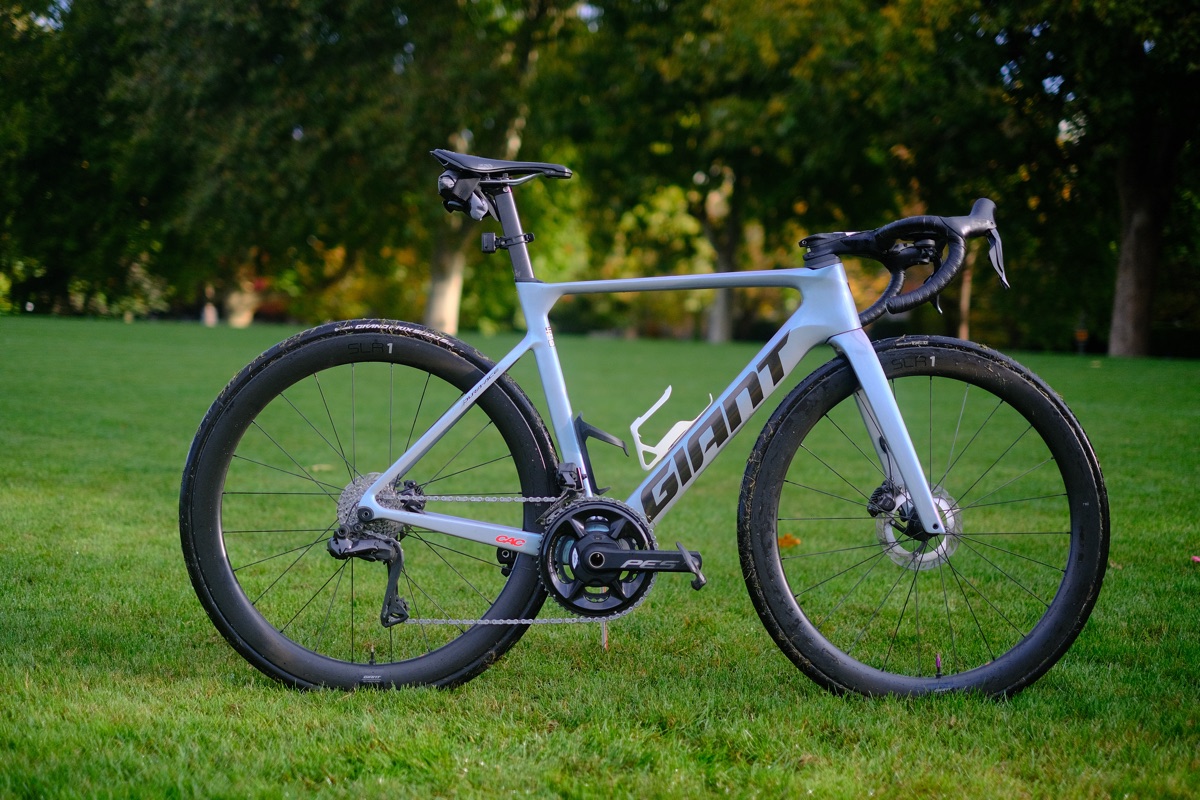
So, on a crisp Sunday autumn morning, I went out to a wet, freshly cut field and filmed in the morning sun until I was happy with some of the takes. While I also own a Ricoh GR III (a famously bad camera for filming) and like to have it as my “daily driver”, this called for a more serious body and glass. The page is “filmed” on a Fujifilm X-E4 with a 35 mm f/1.4 lens (50 mm full-frame equivalent), shot wide open. The lens is known for wobbly autofocus, especially this wide open and with the camera moving, but the trade-off is a very shallow depth of field, which gives the part I want to highlight a good pop. Given that most of the focus items were in the centre of the frame, the autofocus could “focus” (sic) on only a tight square in the middle, so the results were not abysmal. The colours are straight out of the camera, exported to MP4: no log footage, no grading, nothing except some CapCut magic.
Building it#
The only editing I did in CapCut was change the speed of the video around key frames, so that a scroll moves the film more slowly as it gets close to a key part of the bike. Once the CapCut edit was exported and I had a list of the frames that were going to be “focus frames”, I started coding the page with Claude Code, assigning the key parts and components of the bike to the right frames. In parallel I copywrote the text and the descriptions of the components – arguably the harder part, as I had so much to say.
The clip is only about five seconds long at roughly 60 frames per second, so scrolling through fast movement feels jerky. That is partly intended, with the camera moving by hand. Stabilisation might have been better, but the shake gives it a homemade, rugged feel that I quite enjoy. The bokeh gives it a strong 3D pop that adds polish and a certain aura.
Performance and the boring version#
After some prototypes went quite well, performance was the main thing I struggled with. Different image qualities and frame rates had to be traded off for better performance. In the end I gave up on serving the film to mobile devices: small screens are redirected to a so-called “boring version”, which only has the text and a photo that wasn't on the page before. It also turned out to be the fallback for when the real page doesn't load well. Extensive testing on all types of devices is still outstanding.
Next time#
If I did this again, I would film more stable, higher-quality footage, and shoot at a higher frame rate so I have more frames to play with. These are all downstream of upgrading hardware, which is not on my radar right now. I would also plan two shooting days, so I could look at the first day's footage before the second.